What it is
What is digital accessibility?
A digitally accessible website is one everyone can use, including people with a disability: people who can't see or hear well, or at all, who have trouble moving, or who struggle with reading and remembering.
The standard is WCAG, the Web Content Accessibility Guidelines of the W3C: testable rules, in three levels. Most laws point to level AA.
People without a disability benefit too: reading in bright sunlight, using a phone with one hand, or watching a video on the train without sound.
Audiences
Who you keep out
An error on your site doesn't affect everyone in the same way. These groups get stuck most often:
Visual: blind, low-vision and colour-blind visitors.
Auditory: deaf and hard-of-hearing visitors.
Motor: people with limited dexterity or who only use a keyboard.
Cognitive: people who struggle with memory, attention, reading or learning.
Speech: people who control the site with their voice.
Seizure and vestibular: people sensitive to flashes or motion.
In our WCAG scan, you see how your site scores for each group.
Why
Why it matters
You reach more customers.
People who can't use your site don't buy and don't get in touch. An accessible site works better for everyone: how to reach a bigger customer base.
You reduce the risk.
You can show you're working towards the legal requirements, and you have the basis for your accessibility statement. For the statement itself, you also need a manual test.
Your site gets better for everyone.
Clear forms, readable text and a site you can use without a mouse: every visitor benefits.
In short
Laws: public-sector directive (since 2020), European Accessibility Act (since 2025)
Standard: WCAG level AA, through EN 301 549
Who: the public sector, businesses selling to consumers, and suppliers in public tenders
Supervision: per country and sector, for example the FPS Economy (BE), the ACM and the AFM (NL)
Free WCAG scan
Want to know where your site stands? We scan every page in your sitemap and go through the report with you.
Our pages
Scan, audit and legislation
Find out where your site stands, show that it complies, or first check what the law asks of you.
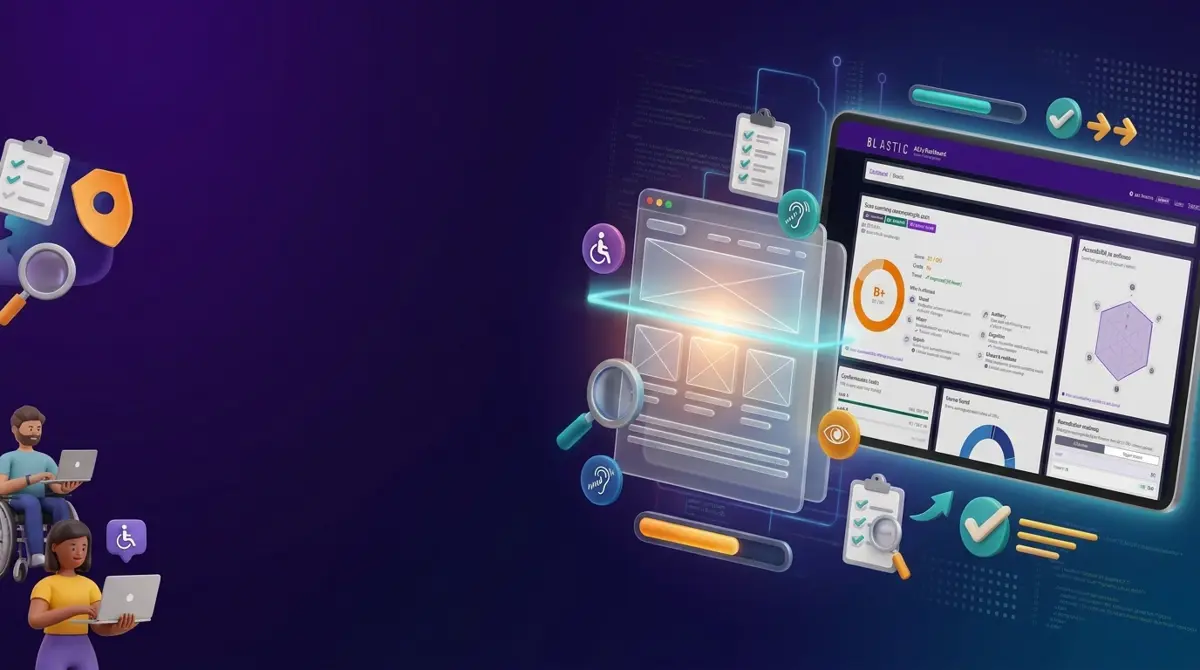
WCAG scan of your entire website
Every page in your sitemap checked, with a rating per group of visitors and a roadmap in phases. The first scan is free.

Accessibility audit
The scan plus a manual test with a keyboard and a screen reader, for when you need to show your site complies.

European Accessibility Act
Who the law covers, what your website has to do, and how Belgium and the Netherlands apply it.
Legislation
Is digital accessibility mandatory?
For more and more organisations, yes. The technical standard is almost always the same: WCAG level AA, in Europe through the standard EN 301 549. Which rules apply to you depends on your sector, your country and the size of your organisation.
Public-sector bodies: since 2020.
Businesses with consumer services covered by the European Accessibility Act, such as e-commerce, banking, passenger transport, telecoms, media and e-books: since 28 June 2025.
Suppliers to the public sector: tenders ask for accessibility, in practice according to EN 301 549.
If you only sell to businesses, the EAA usually doesn't apply. But customers and contracting authorities ask for it more and more anyway.
Who is covered, what B2B means and how Belgium and the Netherlands apply the law: read our guide to the European Accessibility Act.
We're not lawyers: if in doubt, have it checked legally. What we do: we show exactly where your site stands against WCAG, and we fix it.
How we help
From a first scan to a site that stays accessible
01
Scan

Free: we scan every page in your sitemap. You get a rating per group of visitors and a roadmap in phases. Choose this if you want to know where your entire site stands.
02
Audit

The scan, plus a manual test with a keyboard and a screen reader, for what tools don't see. Choose this if you need to show your site complies.
03
Implementation
We fix it, phase by phase, and measure after each phase what it delivered. Choose this if your team lacks the time or the know-how.
04
Monitoring
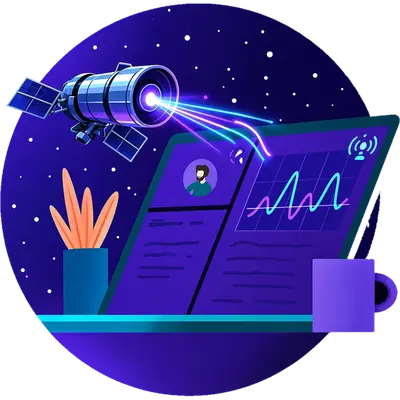
After delivery, we scan your site every day. You get the report, so a new error doesn't stay up. Choose this if your site has to stay accessible after delivery.
Frequently asked questions
What do the levels A, AA and AAA mean?
Level A is the minimum: without those rules, your site is unusable for some visitors. Level AA goes further, with requirements such as contrast, and it's the level most laws point to. Level AAA is the highest. The W3C itself advises against requiring it for an entire site, because not all content can meet it.
Which principles is WCAG built on?
Four: your site must be perceivable (you can see or hear the content), operable (also without a mouse), understandable (clear language and predictable behaviour) and robust (assistive technology such as screen readers can work with it).
What is the difference between WCAG 2.1 and 2.2?
WCAG 2.2 adds nine success criteria to 2.1. For example: the focus may not be hidden behind a sticky bar, targets must be big enough to click or tap, dragging must have an alternative, and logging in may not depend on a puzzle or on remembering something. A site that meets 2.2 also meets 2.1.
What is an accessibility statement?
A page on your site that says how accessible your site is, what doesn't work yet and how visitors can report a problem. It's mandatory for public-sector bodies. Under the EAA, a business has to explain how its service meets the requirements, for example in its terms and conditions or on its site.
Will I get a WCAG certificate?
The W3C, the organisation behind WCAG, doesn't issue certificates. Quality labels exist, but a label is no legal proof that your site complies. What counts is where your site really stands, and an accessibility statement that describes that honestly.
Does it also apply to apps and PDFs?
Yes. The EAA and the public-sector rules apply to websites and apps, and often to documents such as PDFs too. Our scan and audit cover websites.
Want to know where your site stands?
Request a free WCAG scan. We scan every page in your sitemap and go through the report with you.